


LightInTheBox Online Shopping
4.516.21K Reviews
App Specs
- Version
- 9.17.0
- Updated On
- License
- Free
- Downloads
- 10,000,000+
- Developer
- Light In The Box Limited
- Categories
- Shopping
- Platform
- Android, iOS
Screenshots

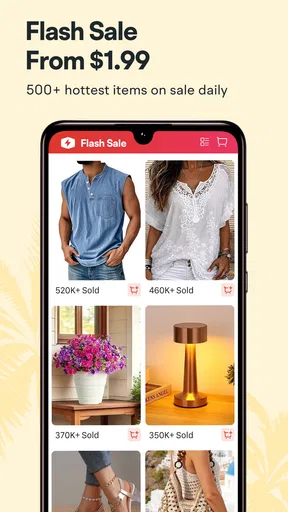
 Analysis by AppCompare
If you’re opening a shopping app for the first time, I think the most useful thing to know is what kind of outing you’re signing up for. LightInTheBox Online Shopping is a broad marketplace-style experience, not a focused store for one label or product type. I’d approach it as a place to browse across fashion, home goods, electronics, and other categories, then compare individual items carefully before deciding. That variety is the appeal, but it also means the app works best when you have a rough idea of what you want rather than expecting every result to suit you.
It is a free shopping app from Light In The Box Limited. It has an average rating of 4.5 from around 301,000 ratings, and has been installed over 10 million times. Those figures suggest a substantial audience, but they can’t tell you whether a particular item will suit your needs; for that, I’d pay closer attention to the listing details and buyer feedback. The app is rated Teen, and version 9.14.1 is listed for Android 6.0 and later.
Set yourself up to browse with a purpose
Once you open the app, I’d start by choosing a category that matches something you might genuinely buy soon. That makes the first session more useful than tapping through unrelated deals. If you’re shopping for clothing, for example, decide whether you need an everyday piece, an occasion outfit, or a particular style before browsing. For home items or gadgets, write down the basic requirements you care about, such as how an item will be used or what needs to fit with it.
That small bit of preparation matters in a catalogue with a lot of variety. It gives you a way to judge results beyond a striking photo or low price, and it reduces the chance of filling a wishlist with things you liked for a moment but would never use. I’d also treat recommendations as a discovery aid, not a substitute for searching deliberately: suggestions can help you notice related styles, but your own needs should remain the filter.
Make the first useful action a careful shortlist
Rather than rushing toward checkout on your first visit, I’d use the wishlist to save a few plausible options. Then compare the product descriptions, images, and buyer reviews side by side. This is especially useful for clothing, where a styled photo may not answer practical questions about the cut or how the item looks outside the promotional image. For a household purchase, consider whether the listing gives enough detail to judge that it will serve the intended purpose.
Buyer photos can add context that polished product images don’t show, while written reviews may reveal what other shoppers considered important. I wouldn’t treat one enthusiastic comment as decisive; look for useful specifics and recurring themes instead. If the reviews leave a key question unanswered, that’s a good reason to pause rather than guess. A saved shortlist makes that decision easy and gives you room to come back when you’re ready.
Keep expectations realistic about deals and checkout
The app highlights promotions, and its rewards points can make future discounts appealing. My advice is to start with the item you actually need, then see whether an offer makes sense for that purchase. A discount only helps if the product is a good fit in the first place. Similarly, saving an item for later is more useful than buying on impulse just because a promotion catches your eye.
Worth Reading Before You Choose

EA SPORTS FC Mobile 26 Is a Bigger Football Game, but It Takes Time

Flipboard Shows What News Apps Must Do Beyond the Feed

Switching to Android Auto Means Rethinking Your Driving Routine

Google Calendar Makes a Crowded Week Easier to Manage

Ludo King Makes the Most of the Minutes Between Plans

Baby Panda World Brings Quick Play to Modern Phones, but Its Game Library Feels Busy
When you are ready to order, the app describes checkout as supporting payment options such as credit cards and PayPal. I’d take a final moment to review the selected item and the details shown in the checkout flow before confirming. If you’re unfamiliar with an online retailer, that pause is a sensible habit: it helps catch a wrong selection or an assumption you made while browsing. I’d also keep order-related information handy in case you need to follow up with support.
Where it fits—and where I’d choose differently
I can see this app working well for a curious shopper who enjoys comparing styles and categories in one place, especially when the goal is to discover options rather than buy a very specific item immediately. It is less suitable if you need a product urgently, want to inspect an item in person, or prefer a specialist shop with a narrower and more familiar selection. In those cases, a nearby retailer or a focused store may make the decision simpler.
Compared with a department-store app, LightInTheBox puts the emphasis on browsing a broad mix of goods and promotions rather than staying within one retailer’s familiar range. Compared with a specialist fashion app, the wider selection can be fun, but you may need to spend more time narrowing it down. I’d choose between them based on the task: use this app to explore and compare across categories; use a focused alternative when you already know the exact type, brand, or fit you want.
A low-pressure first shopping trip
Picture a practical evening errand: you need a new top for an upcoming occasion, but you aren’t sure what style you want. I’d open the clothing category, set a clear budget for myself before browsing, and save a small group of promising choices. Then I’d read the details and look at buyer feedback, especially comments that address fit or how the item appears in real use. If nothing gives me enough confidence, I’d close the app and revisit the shortlist later instead of forcing a purchase.
That workflow is also a useful way to decide whether the app suits you. If exploring a varied catalogue feels enjoyable and the reviews help you make a considered choice, it can be a handy place to keep looking. If you find yourself overwhelmed by options or unable to answer basic questions from the listings, a more focused retailer may be the better next stop. The point is to let the app support your decision, not make it for you.
What to check when something feels unclear
New users often wonder whether a low displayed price should settle the decision. I wouldn’t let it. First check that the listing describes the kind of item you intend to buy, then compare the visual information with the written details and buyer feedback. A product image can make an option appealing, but the description and reviews are what help you judge whether it matches your use case. If those pieces don’t line up clearly, save it and keep browsing.
You may also wonder whether recommendations will immediately reflect your taste. The app uses browsing history to shape suggestions, so I’d expect them to become more relevant as you explore, rather than treating the first screen as a perfect personal edit. To keep that discovery useful, browse intentionally and use the wishlist for genuine contenders. That way, an interesting recommendation can become part of a considered comparison instead of another distraction.
If you’re deciding whether to install it, the straightforward answer is that it’s free to try, and its breadth is its clearest reason to do so. I’d recommend it to people who like browsing across fashion and everyday goods and don’t mind taking time to check each choice. I’d skip it for a rushed, exact-specification purchase or if I strongly prefer seeing an item in person before paying. Used with a shortlist and a careful read of the listing, it offers a relaxed way to explore; used as a stream of tempting bargains, it can make it harder to separate a good find from an impulse.
Ever found yourself scrolling endlessly for chic yet affordable fashion? If you haven’t stumbled upon LightInTheBox Online Shopping yet, you're in for a treat. This app is like a treasure trove of fashion, gadgets, and home decor, all at prices that won’t make your wallet cry. Let’s dive into what makes this app a must-have for any shopaholic.
Explore a World of Affordable Fashion
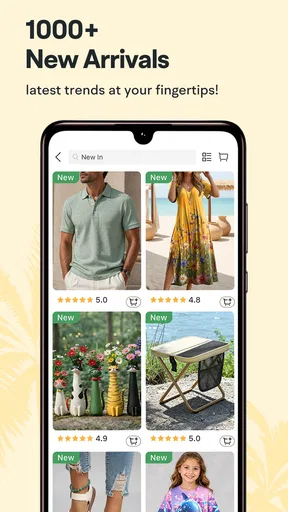
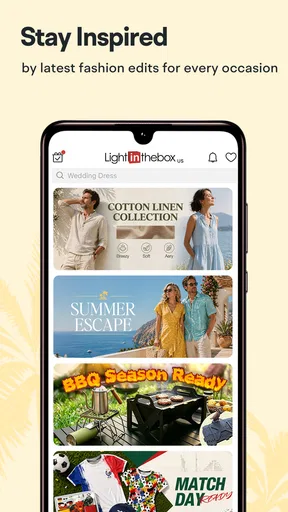
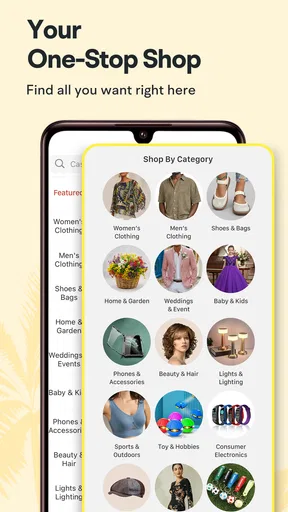
So, what’s the deal with LightInTheBox Online Shopping? Right off the bat, you’ll notice the app’s sleek and user-friendly interface. Navigating through the categories is a breeze, whether you’re looking for trendy dresses or quirky home gadgets. With just a few taps, you can jump from browsing fashionable clothes to checking out the latest electronics.
They’ve really nailed the art of variety here. From casual wear to wedding dresses, and even electronics and toys, there’s something for everyone. It’s perfect for those moments when you want to refresh your wardrobe without breaking the bank. And let’s be real, who doesn’t love a good bargain?
Shopping Experience and Features
One of the standout features is the app’s personalized recommendations. Based on your browsing history, the app curates a selection of items that are right up your alley. It’s like having a personal shopper who totally gets your style. This makes finding new pieces that match your vibe super easy.
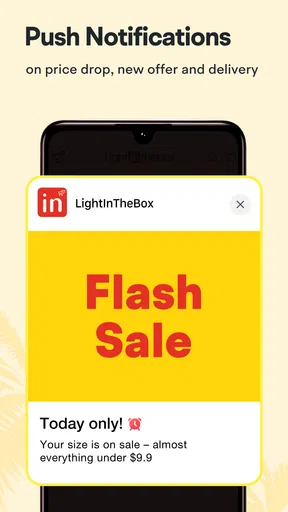
Another nifty feature is the wishlist function. Ever seen something you love but not quite ready to buy? Just add it to your wishlist for later. Plus, the app notifies you about price drops, so you can snag your favorites at the best price. Talk about shopping smart!
The app also offers a seamless checkout process. With multiple payment options, including credit cards and PayPal, you can choose whatever suits you best. And don’t worry about your details; the app ensures all transactions are secure.
Deals and Discounts Galore
Now, let’s talk about what truly sets this app apart: the deals. LightInTheBox Online Shopping frequently hosts sales and promotions that are hard to resist. Whether it’s a seasonal sale or flash discounts, you’ll find yourself coming back to see what’s new.
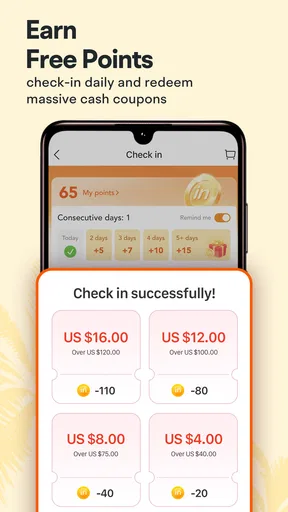
They also have a points system where you earn rewards for your purchases, which you can use for future discounts. It’s a sweet little perk that adds an extra incentive to shop more. Who can say no to earning rewards while shopping?
Customer Support and Community
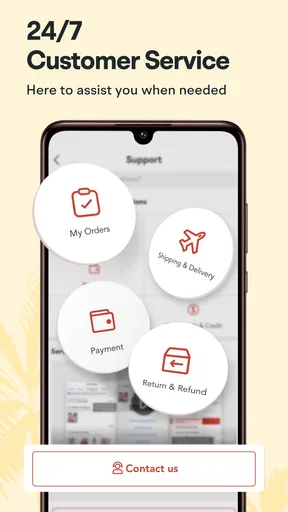
Even the best apps can have hiccups, and that’s where customer support comes in. The app provides quick and friendly support to help you with any issues, be it with orders or general inquiries. They’ve got a solid reputation for resolving issues swiftly, which is always a relief.
Plus, the app has a vibrant community of users. You can read reviews and even see pictures from other buyers. This gives you a better idea of what to expect from your purchase, making it easier to decide if that dress is as fabulous in real life as it looks on screen.
Final Thoughts
In a nutshell, LightInTheBox Online Shopping is a fantastic option for anyone looking to shop smart and save big. With its wide range of products, user-friendly interface, and unbeatable deals, it’s no wonder this app has become a favorite among savvy shoppers. So next time you’re in the mood for a little retail therapy, give it a whirl and see what treasures you can uncover!
Happy shopping, and may your finds be fabulous!
Pros
- Wide range of affordable products.
- User-friendly interface for easy navigation.
- Frequent discounts and promotions.
- Detailed product descriptions and reviews.
- Secure payment options available.
Cons
- Longer shipping times for some regions.
- Customer service can be slow to respond.
- Limited return policy for some items.
- App occasionally experiences lag.
- Some items may differ from images.
FAQs for LightInTheBox Online Shopping
What is LightInTheBox Online Shopping and how does it work?
LightInTheBox is a global online retail company that delivers products directly to consumers around the world. It offers a wide variety of products, including clothing, accessories, gadgets, and home goods. Users can browse through categories, add items to their cart, and complete purchases securely through the app or website.
Is LightInTheBox Online Shopping app free to download and use?
Yes, the LightInTheBox app is free to download on both Android and iOS devices. While browsing and adding items to your wishlist is free, purchases will require payment through secure methods. The app may also feature in-app promotions or discounts to enhance your shopping experience.
What payment methods does LightInTheBox support?
LightInTheBox supports a wide range of payment methods to ensure convenience for its users. These include major credit and debit cards, such as Visa and MasterCard, as well as PayPal. The app provides a secure checkout process, ensuring your personal and financial information is protected.
How reliable is LightInTheBox in terms of product quality and delivery?
LightInTheBox is known for offering a diverse selection of products at competitive prices. While many users find the products satisfactory, it’s important to read reviews and ratings for specific items. Delivery times can vary based on location and shipping method, so checking estimated delivery dates before purchasing is advisable.
What should I do if I encounter issues with my order on LightInTheBox?
If you experience any issues with your order, such as receiving the wrong item or a defective product, LightInTheBox offers customer support to assist you. You can contact them through the app or website’s support section. It’s helpful to have your order details ready to ensure a swift resolution.


